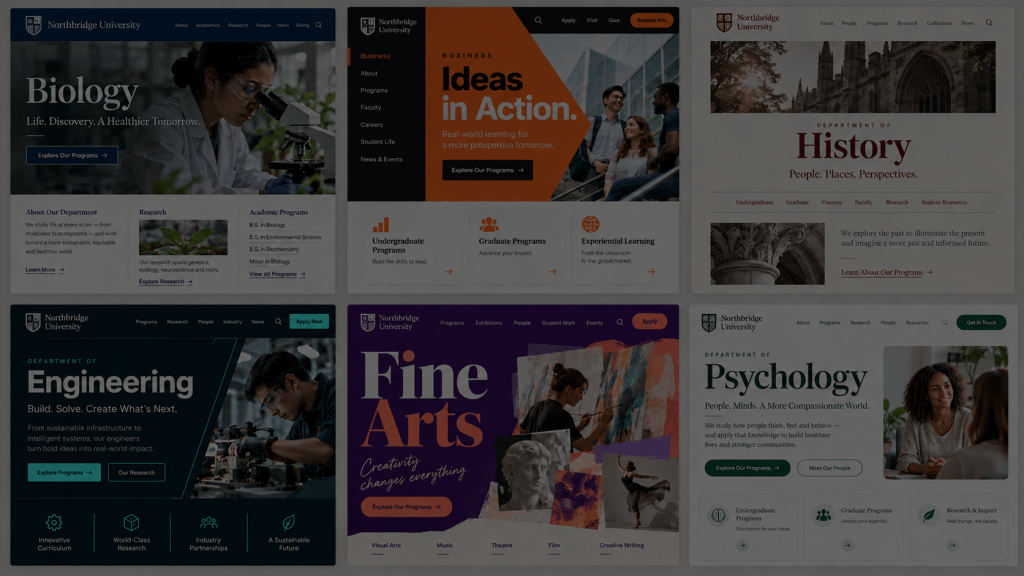
Almost every higher ed web team has heard some variation of this: A content contributor, frustrated with the CMS, asks for “more drag and drop.” Leadership nods along, because it sounds perfectly reasonable. Who wouldn’t want an easier editing experience, right?
As someone who runs a CMS company, I think requests for easier editing deserve to be taken seriously. But taking a request seriously doesn’t mean implementing it literally. More often than not, “give me drag and drop” is a symptom, not a diagnosis. And if you build a solution around the symptom, you can end up with a CMS that’s harder to govern, less consistent for visitors, and no less frustrating for the very people you were trying to help.
The real work is figuring out what’s actually broken, not necessarily adding more drag-and-drop capability.
The Same Request, Three Different Problems
Ask three different contributors why they want drag-and-drop editing, and you’ll likely get three different underlying problems.
The admissions marketer wants to build a new landing page for a recruitment campaign. She’s not frustrated by a lack of design freedom; she’s frustrated that she can’t move quickly. She needs to launch a page in days, not weeks, without waiting on a designer or developer to build something custom. What she actually needs is a fast, flexible way to assemble a campaign page from pre-approved components.
The department coordinator wants to update a faculty bio or a program requirement without submitting a ticket and waiting for approval. He’s not asking for creative control over layout. He’s asking for independence over a narrow, well-defined piece of content. What he needs is the ability to edit specific fields of information, not a blank canvas.
The faculty member wants her course page to look a little more “her.” She’s not trying to redesign the institution’s visual identity. She’s looking for a small amount of personal expression within a page that still needs to meet accessibility standards and match the rest of the site. What she needs is a few thoughtful customization options, not full design freedom.
Three different people, three different requests, three different solutions. If you respond to all three with the same answer: “We’ll give everyone a drag-and-drop page builder,” you haven’t solved anyone’s problem. You’ve just introduced a new one.
Why “More Flexibility” Often Backfires
Blank-canvas editing tools sound empowering and look impressive in a sales demo. In practice, they frequently overwhelm the occasional contributor rather than help them. Most content contributors at a college or university aren’t designers. They don’t log into the CMS every day. They’re faculty, coordinators, and staff who have a dozen other responsibilities, and the website is a small part of their job.
Handing that person a page builder with unlimited layout options, dozens of components, and no real constraints doesn’t feel like freedom. In fact, it can cause decision fatigue. Every choice, from spacing to alignment to which of twelve “flexible” content blocks to use, becomes a decision they’re not equipped or inclined to make well. The result is inconsistent pages, broken layouts on mobile, accessibility issues that nobody catches, and a website that looks like it was built by a dozen different people with a dozen different ideas of what the institution should look like, because it was.
This is the core tension every higher ed web team is managing: contributor independence versus a consistent visitor experience. More drag-and-drop options don’t resolve that tension. They tip the scale further toward inconsistency, and someone on your web team ends up spending hours cleaning up pages that never should have needed cleanup in the first place.
Structured Content Does the Job Page Builders Can’t
Here’s the strategic shift that matters: structured, reusable content is far more effective than per-page editing when your goal is accuracy and consistency across an entire institution.
Think about how often the same piece of information lives in more than one place. A program requirement might appear on a department page, a program landing page, and an admissions checklist. An application deadline might show up on five different pages across three different schools. If each instance of that information is a separate piece of free-form content, typed in by hand, on a separate page, you’re not managing content. You’re managing an ongoing accuracy problem that grows every time someone forgets to update one of those five pages.
Structured content solves this by separating the information from its presentation. The meaning should live in the content itself, not depend on visual styling applied page by page. When a deadline changes, it updates once and reflects everywhere it’s referenced. When a program requirement is revised, it’s accurate across every page that pulls it in. Your contributors aren’t maintaining five versions of the truth; they’re maintaining one.
This is important for your website visitors, obviously. But it’s increasingly critical for a reason many higher ed teams haven’t fully reckoned with yet: answer engine optimization. As AI-driven search tools and answer engines pull information directly from your website to answer prospective student questions, structured, consistent content is what makes your institution’s answers trustworthy and retrievable. A page builder full of loosely formatted text blocks, where the same deadline is phrased five different ways on five different pages, is a liability in an AEO world, not an asset.
The Questions to Ask Instead
Before your institution adds more editing flexibility to your CMS, or evaluates a new CMS based on how flashy its page builder looks in a demo, ask these questions instead:
- Where do contributors absolutely need independence? Which tasks are high-frequency, low-risk, and specific enough that a contributor can be trusted to complete them without design oversight?
- Which design choices should the institution make once, centrally? Layout, spacing, color, typography, and component design are brand and accessibility decisions. They shouldn’t be reinvented by every contributor on every page.
- Which information should be maintained centrally and shared across pages? Deadlines, requirements, contact information, and other frequently duplicated content are strong candidates for structured, reusable fields rather than free-form text.
- What does the contributor actually need to accomplish, not just what are they asking for? A request for “drag and drop” is a proxy for a real goal: speed, independence, or expression. Identify the goal before you choose the tool.
Test Real Tasks, Not Polished Demos
If you’re evaluating a CMS, or evaluating whether your current one is meeting your needs, resist the temptation to judge it by how impressive the page builder looks in a vendor demo. A demo is built to show off flexibility. It is not built to show you what happens when a first-time contributor, with no design background, logs in on a Tuesday afternoon with a real task to complete.
Instead, test the tasks your contributors actually do:
- Update a deadline across every page it appears on. Does it require editing one field, or hunting down every instance manually?
- Add a new program requirement. Can a department coordinator do this independently, accurately, and in a way that’s consistent with how every other program lists its requirements?
- Create a campaign landing page. Can an admissions marketer assemble a page from existing components quickly, without waiting on design or development support?
- Check how it renders on mobile. Does the system guard against ad hoc choices that look fine on desktop but break on a phone?
- Restore a previous version. If a contributor makes a mistake, can your web team recover quickly, without a support ticket and a multi-day wait?
If a CMS can’t handle these five tasks cleanly, more drag-and-drop capability isn’t going to fix it. You need a system built around structured content, clear contributor roles, and centrally governed design, not a bigger canvas.
Ask Better Questions, Get Better Answers
The next time a request for “easier editing” lands on your desk, resist the urge to translate it directly into “more drag and drop.” Ask who’s asking, what they’re actually trying to accomplish, and whether the real fix is independence, speed, or structure. The institutions that get this right aren’t the ones with the most flexible page builder. They’re the ones that have been precise about where contributors need freedom, where the institution needs consistency, and where content needs to live once and be trusted everywhere.
That’s the kind of CMS evaluation that leads to a web ecosystem your whole institution can rely on, long after the demo is over.


Leave a Reply