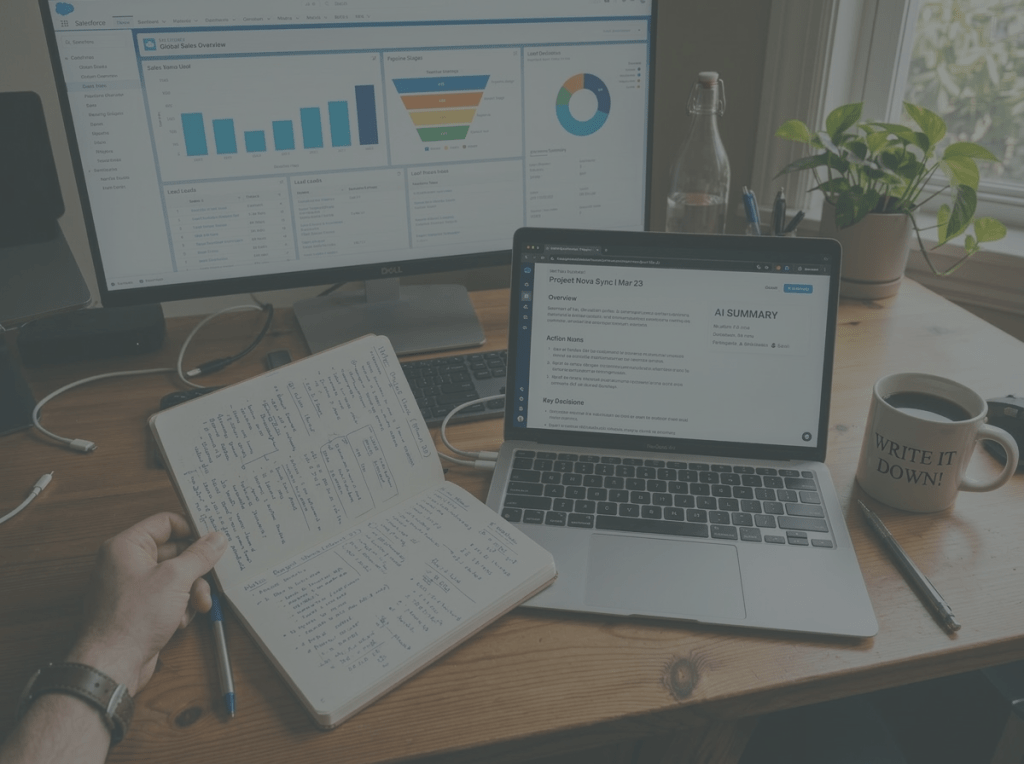
Efficiency is important, no question about it. Whenever possible, we want to automate things though syncing, auto-filling, and having AI “handle it.”
I completely understand the appeal. I use AI every day, and I’m excited about what it can do. It saves time, reduces busywork, and helps us move faster. But I’ve also noticed something that feels easy to miss: some of the tasks that look inefficient on the surface are the very ones that help us think better.
When we remove ourselves from every step of the process, we may save time, but it comes at a cost: We may also lose memory, judgment, and insight.
Psychologists sometimes refer to this as cognitive offloading: shifting mental work onto external tools and systems instead of processing it ourselves. Research suggests that while these tools can improve efficiency, they can also reduce memory formation, critical thinking, and deeper cognitive engagement when overused.
Let’s explore why manual work still matters, especially at work. We’ll look at:
- why manual note-taking helps you remember more
- how reviewing data yourself builds better judgment
- where AI helps most, and where it can quietly weaken your thinking
The value of doing things yourself
A lot of work looks repetitive until you pay attention to what it’s actually doing inside your brain.
Writing notes by hand or typing your own summary forces you to process what you heard. Reviewing a spreadsheet line by line makes you pause, compare, and notice patterns. Entering information into a CRM yourself can turn vague impressions into clearer thinking. And, as an added bonus, it helps you retain information, and you won’t have to spend thirty minutes going through the CRM activities before a meeting with a customer!
We tend to talk about manual work as if it only adds delay. But some forms of delay are useful, and may actually save time in the long run.
Manual note-taking helps you remember what matters
People often ask how I remember so many details about customers, conversations, projects, and opportunities.
The answer is simple: I manually process the information.
A 2024 Frontiers in Psychology study found that handwriting produced much more elaborate brain connectivity patterns than typing, especially in areas and frequencies associated with memory formation and encoding new information. The authors argue that the visual and movement-based information involved in forming letters by hand helps create brain conditions that support learning.
I take notes during meetings. I summarize conversations myself. I enter key details into Salesforce intentionally, not just as an admin task. That process helps me remember because I’m not passively receiving information. I’m actively making sense of it.
What happens when you summarize a meeting yourself
When you write your own summary, you’re doing much more than documenting what happened. You’re deciding what mattered.
You’re asking questions like:
- What was the real point of this conversation?
- What felt unresolved?
- What concerns were implied but never said out loud?
- What patterns am I seeing across accounts or teams?
- What should happen next?
That mental sorting process is where memory gets stronger. It’s also where judgment starts to form.
If an AI tool gives you a summary instantly, it may be accurate enough on the surface. But if you never work through the material yourself, you may lose the deeper understanding that comes from interpretation.
Why this is important in customer-facing work
In customer work, details matter, as do tone and gaps. What someone avoids saying can matter just as much as what they say clearly.
Manual note-taking helps you hold onto those subtleties. It gives you a richer internal map of the relationship. Over time, that leads to better follow-up, stronger pattern recognition, and more trust with customers.
The note is part of how you learn the account.
The spreadsheet is not the point
I see the same principle when reviewing customer risk.
Yes, we have official scores. Yes, we have systems and dashboards. Yes, we could automate more of the process.
But I still go through a list myself, simply because the process forces me to think.
What manual review helps you see
When I review accounts directly, I start to notice things that a clean dashboard may flatten out:
- patterns across similar customers
- inconsistencies between data points
- weak engagement hidden behind decent metrics
- emotional signals from past conversations
- accounts that look healthy on paper but feel fragile
- accounts with low scores that are actually more stable than expected
That’s the value of direct engagement. You stop relying only on what the system tells you to think.
Judgment grows through comparison
One of the most useful parts of manual review is comparing my own assessment with the official score.
That comparison creates better questions:
- What signals are we missing?
- Are we overvaluing quantitative data?
- Is the system reflecting reality, or just the parts of reality it can measure?
- Where are the blind spots?
The manual review is not redundant. It’s where judgment gets sharper.
A system can score an account. A person can recognize when the score doesn’t tell the full story.
Pipeline reviews work the same way
The same thing happens in pipeline management.
A CRM can track stage, activity, close date, probability, and revenue totals. That’s useful. But a dashboard can only show what has been entered into the system. It cannot think critically for you.
When you manually review pipeline, you start asking harder and better questions.
A manual pipeline review pushes you to ask:
- Is this deal actually real?
- Are we mistaking activity for momentum?
- Is the customer engaged, or just responsive?
- What is missing from this opportunity?
- Are we being overly optimistic?
- Is the next step meaningful, or just motion?
Those questions matter because sales data can create a false sense of certainty. A full pipeline is not always a healthy pipeline. Lots of activity is not always progress.
Dashboards are incredibly helpful. But they do not replace human judgment. In some cases, they can create the illusion of clarity while the real thinking gets weaker underneath.
Friction is not always the enemy
If something requires effort, we assume it should be automated. If a process feels manual, we assume it must be outdated.
That mindset misses something important: some friction is productive.
In learning science, some forms of difficulty are considered beneficial because the effort itself improves retention and understanding. The mental work is part of how expertise develops. When AI removes every layer of effort, we may also remove some of the cognitive processes that help us learn, remember, and think critically.
Productive friction helps you learn
Here’s what productive friction often looks like:
- writing something down so you remember it
- summarizing a conversation so you understand it
- reviewing data manually so you spot patterns
- organizing information yourself so you can make decisions with confidence
In each case, the effort is part of the outcome.
If you’ve ever taken handwritten study notes, sorted through customer feedback yourself, or manually planned a complex project, you’ve likely felt this already. The work helps form the insight. It’ s not separate from it.
AI should support thinking, not replace it
This is the balance I think we need to figure out as AI becomes more embedded in daily work.
AI is excellent at speeding up repetitive tasks, organizing information, generating first drafts, and reducing low-value administrative work. That’s real value, and we should use it.
But there is a difference between reducing unnecessary work and removing meaningful cognitive engagement. That distinction matters more than it seems.
Where over-automation becomes a problem
Problems start when AI replaces the exact steps that help you build expertise.
If you never write the summary, you may remember less. If you never review the accounts yourself, you may notice less. If you never work through the pipeline manually, you may trust weak opportunities too easily.
The risk is that you lose the thinking the process was creating in you.
That loss can be subtle. You still get outputs. You still feel productive. But over time, your intuition may weaken because you stopped doing the work that built it.
Emerging research on AI and cognition suggests this tradeoff is real. Tools that reduce mental effort can improve efficiency, but they may also reduce opportunities for reflection, memory formation, and critical thinking if they replace cognitive engagement entirely. The challenge is using AI in ways that still keep humans mentally involved.
A different decision rule
Before automating a task, ask:
- Is this work truly repetitive, or does it help people think?
- Does removing this step save time without reducing understanding?
- Are we automating busywork, or are we automating judgment practice?
- What skill might weaken if this process disappears?
Those questions can help you make better trade-offs.
Here are a few practical ways to keep the human thinking in the loop:
1. Write your own short meeting recap
Even if an AI tool records and summarizes the call, write your own five-sentence recap afterward.
Focus on:
- what mattered most
- what felt uncertain
- what the customer seemed to care about
- what needs to happen next
2. Review raw data
Before looking at a polished score or trend line, spend a little time with the underlying data.
That simple habit can help you spot context the summary layer hides.
3. Compare your judgment with the system
Make your own call first. Then check the score, forecast, or recommendation.
The gap between the two is often where the best thinking happens.
4. Automate admin, not interpretation
Use AI to save time on formatting, organizing, and repetitive updates. Be more careful with automating the parts of work that build understanding, intuition, and decision quality.
As AI gets better, it will be tempting to remove every bit of friction from work. Some of that will be useful. Some of it will help us move faster with less effort. But not every manual step is a problem to solve.
What about you? Where do you prefer doing things manually?


Leave a Reply