cooking ingredients, knife, cutting board, pot

Get better results from AI with prompt layering

When people first start using AI tools like ChatGPT, they usually ask questions in one shot and hope for the best. Sometimes that works, but oftentimes, the output is not as wonderful as expected. Too generic, too long, or missing the mark entirely. And then they give up, which is one of the biggest mistakes you can make with AI. 

Getting great results from AI isn’t about asking the perfect question. It’s about layering prompts strategically to build toward exactly what you need without going down a rabbit hole of endless rewrites.

Many professionals spend hours tweaking massive prompts or repeatedly starting over because their initial request didn’t capture their vision. This approach wastes time and often leads to frustration. There’s a better way.

Prompt layering transforms your AI interactions from guesswork into a more systematic process. It’s a method that helps you guide AI tools step by step, refining output incrementally rather than hoping for perfection on the first try.

What is prompt layering?

Think of prompt layering as having a conversation with your AI tool rather than issuing a single command. Instead of trying to cram every detail into one mega-prompt, you stack smaller, purposeful instructions.

Each layer refines the output by narrowing focus, improving clarity, or adjusting style until you arrive at something polished and usable.

It’s a bit like cooking:

  • The first layer is getting all your ingredients lined up.
  • The second is preparing them.
  • The third is seasoning to taste.

By the end, you’ve created a meal instead of tossing everything into the pot at once.

This approach recognizes that AI tools work best when given clear, sequential guidance rather than complex, multi-faceted instructions all at once. Treat AI like a new team member! You wouldn’t expect a new person to give you the perfect deliverable on the first try, right?

Why it works 

Clarity compounds: Breaking a complex request into layers gives the AI room to think step by step, which typically produces sharper results. Each layer builds on the previos one, thus creating a clearer picture of what you want.

Faster iteration: Instead of rewriting long prompts from scratch, you tweak in small steps. This saves time and avoids the frustration of losing perfectly good elements when making changes (we’ve all been there!).

Creative control: Layering lets you guide the AI output more like an editor than a passive recipient. You maintain control over the direction while optimizing AI’s capabilities.

Reduced cognitive load: Rather than trying to anticipate every requirement upfront, you can respond to what you see and adjust accordingly. This mirrors how humans naturally work through complex solutions and is also reminiscent of the agile developement approach.

The 3 core layers

Here’s a simple framework you can apply to almost any task:

1. Rough draft 

Start broad. Give the AI a clear but simple request.

Example: “Write a blog intro about why personalization matters in higher ed websites.”

This gets something on the page quickly. Don’t worry about perfection here. You’re establishing the foundation and giving yourself material to work with.

The key is to be specific enough that the AI understands the topic but general enough that you’re not overwhelming it with requirements.

2. Refinement 

Now you add precision. Tell the AI what’s missing, what tone to use, or what format you need.

Example: “Make it more conversational and add a quick metaphor that compares personalization to a campus tour guide.”

This is where you shape the content closer to your voice and vision. You’re working with existing material, which is much more efficient than starting over.

Focus on one or two key improvements per refinement layer. This keeps the AI focused and prevents confusion.

3. Optimization

Finally, you polish for your specific purpose. Ask for variations, summaries, or format adjustments.

Example: “Shorten this to under 150 words and include the phrase ‘higher education marketing.'”

This last step makes the output immediately usable for your specific context and requirements.

As Antoine de Saint-Exupéry once said, “Perfection is achieved not when there is nothing more to add, but when there is nothing left to take away.” That’s exactly what the optimization layer is about: removing the excess and sharpening what matters until the result is clear, concise, and ready to use.

Advanced strategies

Shifting perspective: After getting your initial output, ask the AI to rewrite from a different perspective or for a different audience. This often reveals new angles you hadn’t considered.

Flipping the format: Take your content and ask for it in different formats such as bullet points, numbered lists, or narrative form. This helps you find the most effective presentation.

Stacking speficity: Start general, then get increasingly specific with each layer. This helps you maintain the big picture while drilling down into details.

Quick tips for better prompt layering

Start simple. Don’t over-engineer the first layer. Give yourself plenty of room to build.

Give feedback like a coach. Instead of “this is bad,” say “make it punchier” or “add examples.” Constructive direction works better than criticism.

Reuse winning layers. Save your favorite refinements as templates for future projects. If “make it more conversational” consistently improves your content, use it regularly.

Know when to stop. If the output is good enough for your purpose, move on. Perfect is the enemy of done, and over-layering can sometimes muddy clear content.

Document your process. Keep track of layer combinations that work well for different types of content. This builds your personal prompt library.

Common pitfalls 

Layer overload: Adding too many layers can confuse the AI and dilute your message. Three to four layers usually provide the sweet spot.

Contradictory instructions: Make sure each layer builds on rather than conflicts with previous ones.

Impatience: Give each layer a chance to work before moving to the next one. Sometimes the AI needs a moment to process complex refinements.

Prompt layering turns AI from a one-shot experiment into a repeatable process. It’s faster, more flexible, and far less frustrating than hoping for a perfect response on the first try.

The beauty of this approach is its adaptability. Whether you’re writing marketing copy, creating presentation outlines, or generating creative ideas, the same three-layer framework applies. You’re getting better results while developing a skill that improves with practice.

Next time you sit down with ChatGPT or any other AI tool, remember: don’t just ask once. Layer your way to better results. The better of a partnership you develop with your tool, the better the outcome.

empty meeting room with an AI bot hovering over the table

Are AI notetakers helping or hurting your meetings?

It feels like every other week a new AI tool pops up, promising to “make meetings effortless, saving you hundreds of hours.” One of the hottest right now is AI notetakers. Tools that join your Zoom, Teams, or Google Meet, quietly record the call, and then generate a transcript and summary for you.

In theory, it sounds amazing. No more frantic typing. No more “Wait. What did they say about that deadline/that feature request?” You can actually sit back and be present.

I was a rabid fan when I started using them. But, like most shiny new AI helpers, it’s not all upside.

The positives

You’ll never miss a detail again
Having a transcript is great if someone misses a meeting or if you just want to check back on who agreed to what. From an accountability standpoint, that is a huge plus.

Freedom to actually listen
Instead of scribbling notes, you can make eye contact the entire time and really focus on the conversation, knowing the AI will capture it all.

Great for remote teams
When your teammates are spread across time zones, having a neat summary waiting in Slack or email can keep everyone aligned without another meeting.

So far so good. 

Where it gets messy

People clam up
The moment you tell a customer, “By the way, we’re recording this,” the tone often changes. They’re less likely to be brutally honest about what isn’t working. That’s obviously a problem if you actually want the truth.

Things become performative
The opposite can also happen: instead of clamming up, people sometimes go into “stage mode” when they know they’re being recorded. They perform instead of just talking, which makes the whole meeting feel less authentic.

You stop taking your own notes
There’s something about writing things down that makes your brain hold onto them better. If you just rely on AI, you’re outsourcing not just the notes but your memory. I can certainly attest to that. I remember more details from meetings I had pre-notetaker compared to the ones where I had it running. 

You over-rely on other people’s discussions
If you care about delivering the right products and services to your customers, you can’t just lurk in transcripts of meetings you weren’t in. You need to talk to customers yourself frequently (here’s more on the subject). You know best what insights you want, and you’ll never get the same clarity secondhand.

Coaching gets robotic
It’s tempting to let AI summaries or call insights do the work of coaching sales reps and customer success managers. But AI can’t detect subtle hesitations, awkward silences, or emotional tones that matter in human relationships. Leaders still need to guide and mentor, especially since AI doesn’t have the same context as you when it comes to organizational history, challenges, or your relationship with a customer.

AI can’t read the room
Yes, it knows what was said. But it has no clue how it was said. That subtle sarcasm? Gone. The change in tone? Undetected. The tension you felt when someone crossed their arms? Can’t be found in the notes.

Not every meeting needs a transcript
Sometimes it’s overkill. Recording everything can make people feel like they’re under surveillance. And honestly, it can be a massive distraction. Plus, it’s a time sink when people start digging through meetings they weren’t even in just out of curiosity.

Privacy risks are real
You’re storing transcripts of strategy calls, customer complaints, even HR issues. Those are sensitive topics, and they need to be treated with care, or it could come back to bite you.

Is there a middle ground?

To be clear, I’m not anti-AI notetaker. They can be lifesavers in the right situation. But like most tools, the value depends on how you use them.

Ask yourself:

  • Do we really need this meeting recorded?
  • Will it make people less likely to share openly?
  • Am I letting AI make me lazy?

If the answer to any of those is “yes,” maybe leave the bot out of it.

AI notetakers are like that super-organized friend who always remembers the details. They’re great to have around, but you don’t want to rely on them so much that you stop paying attention yourself.

Meetings are, at their core, about humans connecting problem-solving, and helping each other . Let’s not lose that just because a bot can spit out bullet points.

What about you? Do you find that AI-notetakers help or hurt your meetings?

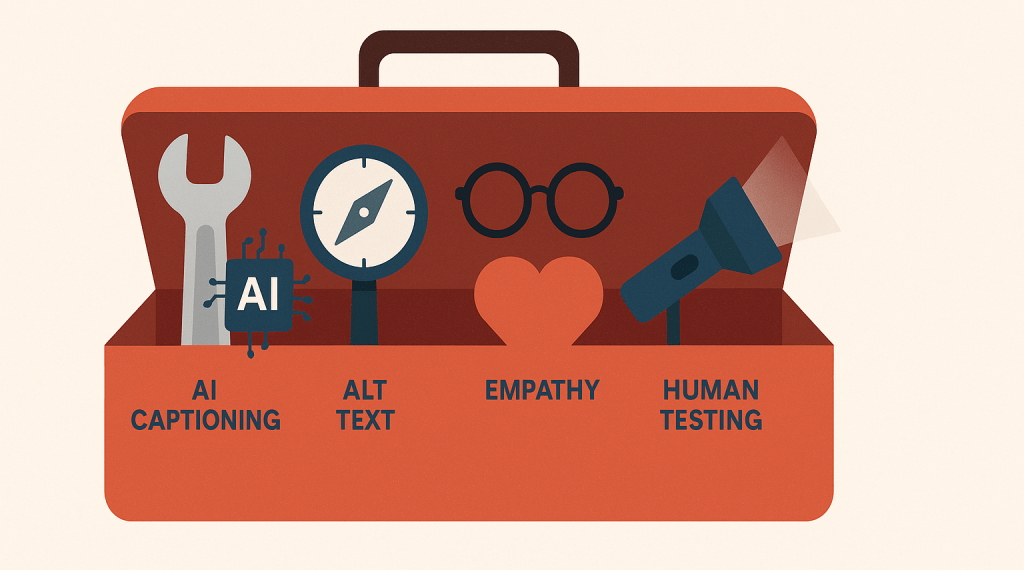
a toolbox for accessibility

How AI can (and can’t) help with accessibility

Accessibility isn’t a nice-to-have, not just for higher education. It’s a legal requirement, a moral imperative, and a core part of serving your full audience. As digital content continues to multiply across websites, accessibility can feel like a moving target, especially for teams that are already stretched thin.

Once again, many are looking at AI for help. With generative tools, automated checkers, and language models promising efficiency and scale, many web teams are wondering: can AI finally help us get ahead of accessibility?

The answer is: yes and no.

Let’s take a look at where AI can offer real support and where human oversight still reigns supreme.

Where AI can help with accessibility

1. Captioning and transcription

AI tools like Otter.ai or Whisper can automatically generate transcripts and captions for videos and podcasts. This is a big win for speed and coverage.

Pro tip: Always review auto-generated captions. Even small misinterpretations can alter meaning (especially in academic content).

2. Alternative text suggestions

Some platforms can suggest alt text for images using object recognition or contextual inference. This can save time, especially when uploading dozens of images at once.

However, these suggestions often lack nuance. “Two people at a table” doesn’t convey the same information as “Admissions counselor advising a first-year student in the student center.”

Pro Tip: Try Cascade CMS’s AI-driven suggestions for alt-text.

3. Accessibility checks 

AI-powered platforms can crawl entire websites and flag potential accessibility violations such as contrast issues, missing form labels, improper heading structures, etc.

You can use it for triaging large sites and identifying systemic problems.

Where AI falls short

1. Contextual meaning

AI can’t determine whether your content actually communicates what it needs to. It might pass a technical scan but still confuse a screen reader user.

Example: A button that says “Click here” might be perfectly marked up. But it doesn’t tell the user what they’re clicking for.

2. Tone, empathy, and inclusivity

AI lacks emotional intelligence. It won’t know if your language is unintentionally biased, confusing, or exclusionary. That requires lived experience, human testing, and editorial review.

3. Compliance vs. experience

Passing a checklist doesn’t mean your site is usable for people with disabilities. Real accessibility is about experience, not just validation.

How should you use AI?

Here’s a simple framework:

Task TypeAI RoleHuman Role
Captioning & transcriptionGenerate draftEdit and verify
Alt textSuggest based on imageAdd context and intent
Site scansIdentify patternsPrioritize and implement fixes
Content writingFlag complex phrasesSimplify and personalize

Use AI to amplify, not replace. Let it surface patterns, automate the repetitive, and help you work faster. But remember: accessibility is ultimately about people. That means it always requires human care.

Aim higher than just compliance

AI can help you meet accessibility guidelines, but it can’t replace empathy. The most inclusive digital experiences come from teams who deeply understand their audiences and are committed to making everyone feel welcome, respected, and supported.

Once again, AI can free up time for the human work that really matters.

What about you? Have you used AI to help with accessibility?

clock with AI symbols, brain in the middie

20 AI prompts that will save you hours every week

You know AI can help you get more done faster. But too often, it feels like one more tool to manage rather than a true productivity partner. The missing piece: Clear, structured prompts that make AI do the heavy lifting.

Here are some ideas to get started with 20 ready-to-use AI prompts that distill tasks into fast, repeatable wins. Whether you handle operations, marketing, hiring, analytics, or content creation, I hope these examples will save time and deliver consistent results.

Good prompts matter 

Before jumping into specific prompts, it is essential to understand what separates a quick win from wasted time.

A strong prompt should:

  • Include relevant context so the AI understands your goal
  • Request a defined outcome (such as a checklist or email)
  • Specify the structure or tone you expect in the answer

Clear, intentional prompting transforms AI from a novelty into a practical tool for day-to-day efficiency.

Prompts for business owners and operators

Target operations tasks with precise instructions to introduce structure and speed up repetitive processes.

1. Build a Standard Operating Procedure (SOP)

Prompt:

Write a clear, step-by-step SOP for how we [task: onboard new clients into our product]. Use short, numbered steps and include any tools we need to use.

How it works: You receive a process document organized for new or existing employees, reducing onboarding time and errors.

2. Conduct a process improvement audit

Prompt:

Here is our current process for handling inbound leads: [paste process]. Suggest improvements using automation or AI, and explain how each change saves time.

What to expect: Actionable recommendations with time-saving calculations to fuel continuous improvement strategies.

3. Use the Eisenhower matrix for prioritization

Prompt:

Here are 10 tasks I need to get done this week. Help me prioritize them using the Eisenhower Matrix. Tasks: [list].

Result: AI provides a clear task matrix, allowing decision-makers to focus on what is urgent and important.

High-impact prompts for marketers

AI can shortcut ideation, optimization, and content repurposing processes. Structure is fundamental for valuable outputs.

4. Generate campaign ideas

Prompt:

Give me 5 creative campaign ideas for promoting our [product/service] to [target audience] with a budget of [enter budget range].

Benefit: AI offers campaign concepts tailored to real constraints, shortening planning cycles.

5. Generate ideas for blog posts

Prompt:

Analyze the content on [URL] and give me 10 blog post topic ideas optimized for the keyword ‘[keyword]’. For each, include a suggested title and a meta description.

Why it’s useful: This prompt helps you generate content ideas that are both strategically aligned with your existing site and optimized for SEO. You’ll walk away with not just broad topic direction (macro) but also ready-to-use titles and descriptions (micro) ,  accelerating your drafting process and boosting your search performance.

6. Repurpose Content for Social Media

Prompt:

Take this blog post: [paste blog text] and create 3 LinkedIn posts and 2 Instagram captions using a friendly, helpful tone.

Time saving: Redistribute long-form content into bite-size marketing assets in minutes, not hours.

7. Draft an engaging promotional email

Prompt:

Write a concise, engaging promotional email for [offer] that encourages [action]. Keep it under 150 words and include a strong CTA.

Outcome: A ready-to-edit email draft, consistent in style and focused on driving immediate action.

Prompts for content creators and educators

Use AI to streamline educational and creative production, focusing on clarity and engagement.

8. Build an agenda for a webinar

Prompt:

Build a 30-minute webinar agenda on [topic]. Include 3 key talking points, 2 interactive moments, and 1 call to action.

Practicality: Provides a structured, audience-focused plan for live events.

9. Turn documents into slide summaries

Prompt:

Here’s a long document: [paste or describe]. Create a 5-slide summary presentation with slide titles and bullet points.

Efficiency: Turns dense materials into high-level summaries viewers can process quickly.

10. Simplify complex topics for beginners

Prompt:

Explain [complex concept] in simple terms suitable for beginners. Use analogies and bullet points.

Value: Makes knowledge accessible, supporting onboarding and learning initiatives.

Streamlining hiring and HR with AI

Automate writing and talent screening with prompts configured for quality and inclusion. Check out my detailed post with more prompts here.

11. Craft compelling job descriptions

Prompt:

Write a compelling, inclusive job description for a [role] at a [type of company]. Include responsibilities, qualifications, and company culture highlights.

Advantage: Ensures roles are marketed attractively and inclusively, saving time on rewrites.

12. Generate interview questions

Prompt:

Give me 10 behavioral interview questions to assess a candidate’s problem-solving skills for a [job title] role.

How it helps: Builds precise question sets that test relevant competencies.

13. Onboarding checklist creation

Prompt:

Create a 2-week onboarding checklist for a new [role], with tasks broken down by day and links to relevant resources.

Desired outcome: Smooth onboarding processes mean faster time-to-productivity and less manager oversight.

Prompts for analysts and administrative efficiency

Extract insights and move from raw data to actionable summaries without manual labor.

14. Summarize spreadsheet data

Prompt:

Summarize this spreadsheet data: [paste table or describe data]. Highlight key trends and anomalies.

Value: Convert messy sheets into insights for focused, strategic reviews.

15. Summarize Meeting Notes

Prompt:

Summarize the key decisions, action items, and next steps from this meeting transcript: [paste notes].

ROI: Ensures important discussions result in tangible next actions.

16. Suggest useful dashboard charts

Prompt:

Suggest the most useful charts to include on a dashboard for tracking [goal, e.g., website conversions]. Explain why each is valuable.

Performance Tracking: Prioritizes metrics that matter, enabling smarter dashboard design.

General productivity hacks

Use AI to design repeatable frameworks, triage communications, and enforce strategic time allocation.

17. Create templates that save time

Prompt:

Create a reusable template for writing weekly status updates to my team. Include sections like ‘Highlights’, ‘Blockers’, and ‘Next Steps’.

Standardization: Fosters clarity and unity in reporting, saving time weekly.

18. Triage Slack messages

Prompt:

Here are 10 recent Slack messages I received across different channels. Help me classify each as Needs my action, FYI, or can be ignored. Messages: [paste messages].

Why it’s useful: This prompt helps you cut through the noise in team communication tools like Slack, Teams, or Discord. By instantly identifying what needs your attention versus what doesn’t, you can reclaim your focus and stop letting pings and notifications derail your deep work.

19. Design a weekly planning grid

Prompt:

Help me plan my week. I want to spend 60% of my time on deep work, 30% on meetings, and 10% on admin. I work Monday–Friday, 9–5.

Desired outcome: Enables intentional time management with built-in deep work prioritization.

20. Encourage personal reflection

Prompt:

Guide me through a weekly reflection. Ask me 5 questions about what went well, what I learned, and what to improve next week.

Continuous improvement: Promotes regular self-review, building resilience and alignment.

Combine prompts

When real transformation is the goal, don’t just use standalone prompts. Combine them into workflows. For example:

  1. Craft a compelling job description (#11)
    Start by generating an inclusive, well-written job listing that attracts the right candidates.
  2. Create an onboarding checklist (#13)
    Once the role is filled, immediately build a 2-week onboarding checklist so you’re ready to hit the ground running.
  3. Turn onboarding docs into a slide summary (#9)
    Transform lengthy onboarding materials into a 5-slide overview presentation for your new hire’s first day.

By stacking these prompts, you move from role definition → hiring → onboarding with minimal lift. You reduce context-switching, create consistency across hiring assets, and make the employee experience smoother, all in under an hour of focused AI-assisted work.

Stacking prompts leverages compounding time savings, multiplying your impact across every phase of a project.

Wrap-up

Great AI prompts are not shortcuts but disciplined processes encoded into accessible language. They allow you to automate what’s repetitive, delegate without confusion, and direct your best effort where it counts.

Bring intentionality and structure to every AI interaction, and you will transition from spending time on busywork to delivering meaningful, strategic outcomes.

What about you? What are your favorite time-saving AI prompts?