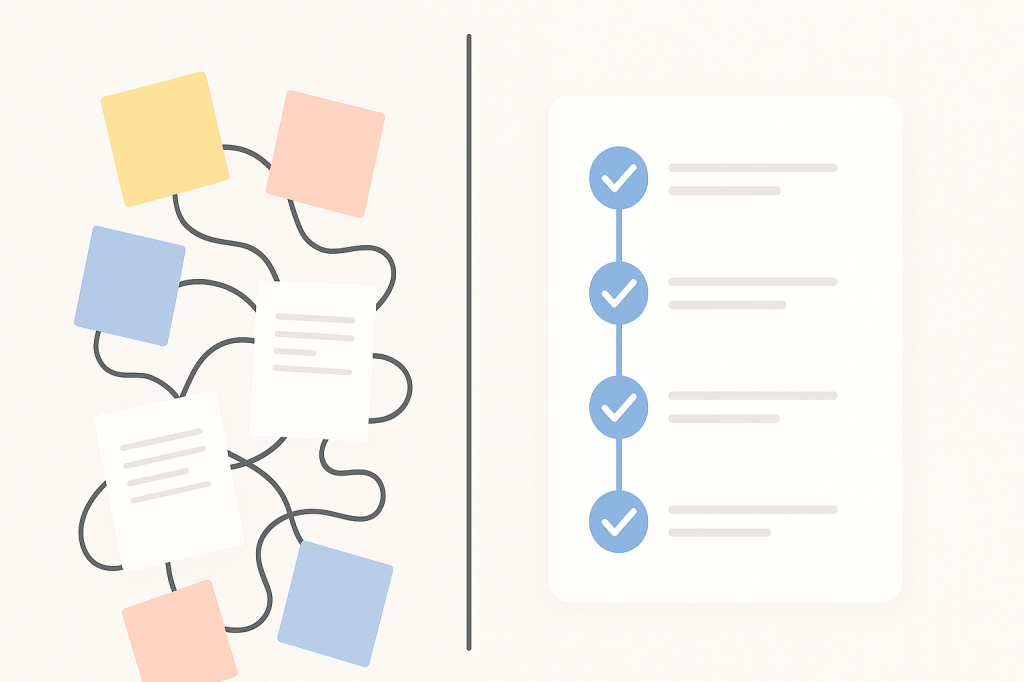
cluttered items versus streamlined workflow

Why leaders waste time (and how AI might be able to fix that)

Leaders rarely waste time because they are disorganized or unmotivated. They waste time because they operate on outdated assumptions. They find themselves managing drama, re-explaining expectations, reacting to unclear priorities, and drowning in meetings that exist solely to compensate for broken processes. This is a reality-based approach to modern leadership.

As author Cy Wakeman says, “Suffering is optional.” The drama, confusion, and rework that fill your day are not the job. They’re noise around the job. For the first time in decades, we have a powerful way to eliminate that noise: AI. Not as a shiny object or a replacement for real leadership, but as a catalyst for clarity. It’s a way to remove the friction that steals your time, focus, and energy.

Let’s look at some of the biggest time-wasters for leaders, and how we can use AI to turn those chronic stressors into more streamlined workflows, so that we can focus on what matters most.

The five ways leaders waste time

Leadership roles have quietly ballooned into something unsustainable. Leaders are expected to be strategists, therapists, technical experts, project managers, communicators, and culture-shapers, all at once. When we break it down, most of the drains on a leader’s time fall into five patterns.

1. Solving the wrong problems

Many leaders spend their days firefighting symptoms instead of addressing root causes. They fix last-minute crises, rewrite team content, chase missing updates, and build one workaround after another. This might feel productive, but it’s a trap.

The real issue often isn’t the circumstance but how we think about it. Leaders frequently jump into action without first stepping back to ask: What problem actually needs solving here? AI can help you get clean data quickly, summarize what’s going on, and surface the root causes instead of just the symptoms.

2. Reclarifying expectations again and again

This one issue costs teams hundreds of hours every year. You explain a process. Then you explain it again. Then you find yourself explaining it once more in Slack, in meetings, and in follow-up emails. The lack of clear documentation is arguably one of the biggest causes of time wasting.

Ambiguity is a petri dish for drama. Clarity, on the other hand, sanitizes it. When expectations are fuzzy, team members fill in the gaps with their own stories and assumptions, leading to rework and frustration.

3. Managing emotions and drama

Leadership requires a high degree of emotional intelligence. However, there is a difference between productive emotional support and unnecessary emotional labor. Time spent navigating venting, spiraling conversations, and conflict triangulation is time stolen from high-impact work.

Drama is essentially emotional waste. It consists of the stories, assumptions, and narratives that steal focus from reality. While AI cannot fix human emotions, it can reduce the ambiguity and miscommunication that often spark drama in the first place.

4. Meetings that should have been a workflow

A shocking percentage of meetings exist simply to get updates, restate decisions, clarify next steps, or piece together scattered information.

When work is clear and processes are documented, the need for these kinds of meetings shrinks dramatically. Meetings can become what they are meant to be: forums for strategic discussion and collaborative problem-solving, not therapy sessions or complaint centers.

5. Delayed decisions

Leaders sometimes stall important decisions because they feel responsible for having perfect information. This drive for perfection leads to collecting more data, getting more input, or rewriting a message “just one more time.” This pursuit of certainty slows everything and everyone down.

Your circumstances are not the reason you cannot succeed. It’s your thinking about your circumstances. AI can support leaders with drafts, scenarios, and data-driven clarity so they feel confident making decisions sooner.

How AI fixes the time-wasting problem

It is here to remove friction so humans can lead with clarity, courage, and accountability. Here are some ways in which the right application of AI can transform leadership.

AI creates clean data and decisions

Leaders spend an enormous amount of time cleaning up information. AI can take on this burden by summarizing complex discussions, turning messy notes into clear documentation, and extracting decisions and next steps. It can also outline risks and tradeoffs for you. As clarity goes up, rework goes down. Teams get aligned faster, and leaders stop repeating themselves.

AI as a thinking partner

Every leader needs a sounding board. With AI, you can have one instantly. You can use AI to explore scenarios, challenge your own assumptions, generate strategic options, and refine your messaging. It helps reduce overthinking and analysis paralysis because you no longer start from a blank page. You start from a structured, thoughtful draft.

AI workflow automation shrinks meeting overload

Imagine a world with fewer, better meetings. AI can make that a reality by automating or streamlining weekly updates, agenda creation, post-meeting summaries, onboarding steps, and recurring project tasks. The result is fewer meetings, more momentum, and more breathing room for actual leadership work.

AI strengthens accountability

Accountability often becomes an emotional issue (“Why didn’t this get done?”) instead of an operational one (“Here is what we agreed to, documented clearly”). AI helps leaders create checklists, documentation, clear responsibilities, and action plans. When expectations are documented and transparent, accountability becomes objective, not personal.

AI reduces emotional load

Communicating as a leader can be hard. AI can support you by drafting difficult messages in neutral, factual language. It can help you remove emotional charge, eliminate assumptions, and rewrite escalation messages with clarity and calm. This helps leaders stay grounded and model the emotional neutrality that Reality-Based Leadership encourages.

Seven steps to get started

Ready to see a change? Small shifts can compound quickly. Try this simple plan to integrate AI into your leadership practice.

Day 1: Replace one status meeting with an async update generated by AI.
Day 2: Turn one chaotic process into a clear Standard Operating Procedure (SOP) using AI to help you draft it.
Day 3: Create your “AI executive assistant” prompt to help manage your schedule, communications, and priorities.
Day 4: Identify one recurring leadership task, like drafting a weekly report, and automate it with an AI tool.
Day 5: Use AI to draft a difficult or delicate communication, focusing on neutral and factual language.
Day 6: Have AI summarize your week’s activities and help you set clear priorities for the week ahead.
Day 7: Reflect. Where did drama decrease this week? Where did clarity increase?

Prompts to try

Here are some prompts leaders can use to reduce emotional waste, eliminate friction, and lead with clarity.

Clarifying the problem

  • “Here’s the situation I’m dealing with: [paste situation]. Help me identify the root cause, not just the symptoms. What problem should I actually be solving?”
  • “Before I jump into action, break this down into: what’s happening, what I know for sure, what assumptions I might be making, and my next best step.”

Setting clear expectations 

  • “Create a clear, actionable set of expectations based on these goals and responsibilities. Make it concise, specific, and easy to understand: [paste info].”
  • “Here’s a process I’ve explained verbally multiple times: [paste process]. Turn it into a clean step-by-step SOP with owners, timelines, and success criteria.”
  • “Turn this Slack thread into a single-source-of-truth summary with decisions, next steps, owners, and deadlines: [paste thread].”

Reducing drama and emotional waste

  • “Rewrite this message in neutral, factual, drama-free language that removes emotion, judgment, and assumptions: [paste message].”
  • “Help me respond to this emotional message with calm clarity—compassionate but focused on facts and next steps: [paste message].”
  • “Create a script that helps redirect someone from venting to problem-solving using Reality-Based Leadership principles.”

Eliminating meetings 

  • “Convert this weekly status meeting agenda into a fully async workflow with templates and update formats so the meeting becomes unnecessary.”
  • “Summarize this meeting transcript into: decisions, owners, deadlines, risks, and open questions: [paste transcript].”

Accelerating decisions

  • “I need to make a decision about: [topic]. Give me 3–5 options, the tradeoffs for each, and your recommendation based on the data.”
  • “Draft a ‘good enough’ version of this message that is clear, concise, and ready to send with minimal edits: [paste draft].”
  • “Generate a scenario analysis for these choices: [list], including risks, effort, ROI, and what happens if I delay.”

Strengthening accountability

  • “Turn these notes into a clear agreement with tasks, owners, success criteria, and due dates: [paste notes].”
  • “Create a RACI-style responsibility breakdown for this project based on the following info: [paste project details].”
  • “Rewrite this follow-up message so it’s direct, neutral, and grounded in documented expectations: [paste message].”

Reducing overload

  • “Summarize my week based on these notes and help me identify my top 5 priorities for next week: [paste notes].”
  • “Help me create a customized ‘AI Executive Assistant’ prompt that supports scheduling, message drafting, priority setting, and weekly reviews. Here’s my role: [describe role].”
  • “Organize these scattered notes into a clear plan with categories, deadlines, and delegated items: [paste notes].”

Reality-based leadership reminds us that the biggest cost in any organization is emotional waste. AI finally gives leaders the ability to reduce drama, increase clarity, speed up decision-making, and improve accountability. It helps eliminate expensive rework and stop the cycle of babysitting emotions. Let AI do the work that drains your time but does not require your unique talent.

Brain connected to legal, finance, and HR

9 powerful ways legal, finance, and HR can use AI

When you think of AI at work, it’s easy to picture marketers drafting blog posts or crafting social media content. But AI’s possibilities go beyond marketing. In fact, some of the most revolutionary uses of AI are happening in traditionally less front-facing roles such as legal, finance, and HR.

These departments are the backbone of any organization, handling complex tasks that require precision, analysis, and judgment. AI’s capabilities in these areas can save countless hours, minimize errors, and help teams make decisions more efficiently.

Let’s explore nine ways in which legal, finance, and HR departments can take advantage of the power of AI to transform their workflows.

Legal: AI tools for efficiency and precision

Streamline contract summaries

Contracts are often long, dense, and packed with legal jargon, but AI can simplify this process. Tools powered by AI can summarize contracts into plain English, highlight unusual clauses, and flag high-risk terms. Want to compare contract versions? Ask an AI tool to identify key changes, saving paralegals and attorneys hours of tedious work.

Example prompt:

“Compare these two versions of the vendor agreement and highlight differences in termination clauses.”

Draft policies 

Writing legal policies, such as Acceptable Use Policies or Non-Disclosure Agreements, is time-consuming. AI can take your specific requirements and generate a solid first draft, which you can refine for tone and compliance.

Example prompt:

“Write a GDPR-compliant NDA in a friendly but professional tone.”

Translate legal documents

Whether expanding globally or dealing with international clients, language barriers can be an issue. AI-enabled language tools can translate policies and contracts efficiently, saving you days of waiting on manual translations.

Finance: AI simplifying reports and forecasting

Automate monthly reports

Every finance professional knows the struggle of analyzing and retrieving insights out of spreadsheet data. AI simplifies this process by turning numbers into concise, actionable written summaries. With just a few keystrokes, your month-end report can be ready.

Example prompt:

“Summarize the revenue and expense data in this spreadsheet. Highlight any anomalies.”

Spot financial anomalies

AI-powered tools are great at analyzing complex datasets to flag duplicate entries, high-value transactions missing documentation, or irregular patterns in spending. For auditors and accountants, this acts as an efficient second pair of eyes.

Example prompt:

“Identify transactions over $3,000 in this expense report that don’t have a matching purchase order.”

Pro tip: You can even upload your expense policy and a screenshot of a receipt and ask AI to see if the two are compatible. 

Create cash flow forecasts

Analyzing financial projections takes time and expertise, but AI can run the numbers and generate forecast summaries with assumptions clearly outlined.

Example prompt:

“Use the given revenue and expense projections to create a three-month cash flow report.”

HR: AI enhancing recruiting and employee retention

Craft effective job descriptions

Recruiting top talent often starts with an engaging job post. AI can write job listings tailored to specific roles, company culture, and diversity goals, saving recruiters time and improving hiring outcomes.

Example prompt:

“Create a job description for a remote junior software engineer focusing on growth opportunities.”

Develop targeted interview questions

AI supports HR professionals by crafting custom interview questions. Whether you need questions for specific roles or particular skills, AI helps focus the conversation where it matters most.

Example prompt:

“Generate five behavioral interview questions for a project manager emphasizing leadership and adaptability.”

Another pro tip: Upload the job description and a candidate’s resume and have AI spot where the candidate’s skills align and where there could potentially be gaps. It’s still up to you to dig deeper during the interview (don’t outsource your interviewing and people skills), but this can give you some things to think about. 

Summarize employee feedback

Employee satisfaction surveys and performance reviews often include valuable insights, but parsing through endless responses can be overwhelming. AI tools can identify recurring themes and summarize findings, providing actionable insights in minutes.

Example prompt:

“Summarize strengths and challenges mentioned in these employee reviews.”

Create personalized onboarding plans

Effective onboarding is key to retention. AI can help HR teams design tailored onboarding programs by factoring in the employee’s role, location, and team structure. Here’s a more in-depth post on this subject.. 

Example prompt:

“Design a 30-day onboarding plan for a Customer Success Manager  that includes training, shadowing, and performance check-ins.”

Risks and pitfalls to consider while using AI

While AI offers game-changing potential, it’s not without its challenges. Here are some key risks to keep in mind when integrating AI into your business functions.

Hallucinations and errors

AI can sometimes provide inaccurate or overly confident responses, particularly in legal, financial, or compliance scenarios. Always double-check AI-generated outputs to ensure accuracy.

Loss of context

AI tools need precise, well-organized data to deliver meaningful results. Vague or overly general prompts can produce irrelevant or misleading results.

Be detailed in your instructions, and ensure all necessary context is provided.

Data privacy concerns

Many AI tools rely on cloud-based systems, meaning any data you input is stored or processed externally. Avoid pasting sensitive information into tools without clear data privacy policies, or consider enterprise-grade AI solutions with stronger security measures.

Potential bias

AI tools trained on public datasets may unintentionally replicate biases present in the data. Use tools designed for fairness to eliminate potential bias in job descriptions, performance reviews, or customer-facing policies.

Wrap-up

Automation technology like AI doesn’t aim to replace professionals. Rather, it acts as an invaluable assistant. Think of AI as your fastest, most focused assistant, quick to get things moving but still reliant on your expertise for the best results.

By leveraging AI, you can drastically cut down on repetitive tasks, streamline complexity, and empower your team to focus on high-impact work. Transforming departments like legal, finance, and HR has never been easier, or more essential, in staying ahead in today’s fast-paced business world.

What about you? What are your favorite use cases of AI in “the back office”?

iphone screen showing chatGPT and a search for an Italian restaurant with patio seating and vegetarian options

Search AI and SMBs: How to Evolve with Conversational Search

How customers find your products, services, and expertise is changing fast. The days of typing stiff keyword strings into a search bar are giving way to natural, conversational, intent-driven queries powered by search AI. For small and mid-sized businesses (SMBs), this shift fundamentally changes how you attract, convert, and keep customers online. If you adapt now, you stay visible and competitive. If you don’t, you risk fading from the results your customers actually see.

Let’s walk through how AI is reshaping search, and what you can do to thrive.

What is Search AI and why does it matter for SMBs?

Search AI blends artificial intelligence, natural language processing, and machine learning to understand what people mean, not just what they type. Instead of matching keywords, it interprets context, intent, and nuance.

So when someone asks, “What’s the best local bakery that delivers gluten-free cupcakes today?”, AI doesn’t just scan for “bakery” or “cupcakes.” It looks for businesses with clear, structured, up-to-date, trustworthy info that matches that exact intent. If your website doesn’t provide that context clearly, including hours, offers, inventory, delivery windows, and reviews, you can disappear from view, even if old-school SEO once worked.

How Search AI is changing the customer experience

AI-powered search has raised the bar. People expect fast, friendly, and personalized answers right where they’re searching. Here’s how that affects your presence.

  1. Personalized, contextual results

Results are tailored by location, behavior, and intent. If someone searches “eco-friendly cleaning services near me,” you’ll show up only if your local data, service pages, and reviews consistently reinforce that positioning. Keywords still matter, but context matters more.

  1. Voice search and conversational queries

With Alexa, Google Assistant, and Siri, natural questions are the norm. People ask, “Who’s the top-rated landscaper open this weekend?”, not “landscaper weekend hours.” To be found, write your site copy and FAQs in a conversational Q&A format that mirrors how customers actually speak.

  1. Zero-click searches and featured answers

Search engines increasingly surface instant answers on the results page. Yes, that can reduce clicks. But if your content powers those featured snippets, you gain credibility and mindshare. The new SEO goal isn’t just ranking, but providing the answer.

The good news is that you don’t need a huge budget. You do need smart structure, clear messaging, and consistent updates. Here’s how to get started.

How SMBs can adapt and win with Search AI

  1. Optimize content for questions and intent

Shift from “ranking for keywords” to “answering customer questions.” That makes your content more useful to both people and AI.

• Create FAQ-style content: Dedicated pages that directly cover pricing, turnaround times, delivery areas, policies, and service details.
• Use natural language: Write like you talk to customers, in a clear, concise, and helpful manner.
• Keep content fresh: Outdated hours, menus, inventory, or policies erode trust and visibility. Review and update regularly.

  1. Leverage structured data (schema)

Schema markup is code that helps search engines interpret your content precisely. Think of it as labeling your information so AI can deliver it confidently.

• Add relevant schema: LocalBusiness, Product, Service, and FAQPage are common winners.
• Complete your Google Business Profile: Keep it fully filled out with accurate info, posts, photos, and timely updates.
• Ensure NAP consistency: Your name, address, and phone must match across your site, maps, and directories. Reliability matters more than you might think.

  1. Prioritize mobile and accessibility

Most AI-driven searches happen on phones. A smooth mobile experience is what your audience expects and deserves. 

• Design mobile-first: Fast load times, legible text, simple thumb-friendly navigation.
• Follow accessibility best practices: Proper headings, alt text, good color contrast. This improves user experience and helps AI parse your site.
• Improve speed: Slow pages get demoted. Audit performance and fix bottlenecks.

  1. Build topical and local authority

AI rewards expertise and consistency. Show you’re a trusted pro in your niche and community.

• Create pillar pages: Comprehensive guides like “Complete Guide to HVAC Maintenance” or “Everything You Need to Know About Maintaining a Salt Water Pool.”
• Publish valuable content: How-tos, checklists, comparisons, and original insights that demonstrate know-how.
• Earn reviews and testimonials: Fresh, positive reviews are powerful trust signals for people and algorithms alike.

The bottom line

AI-driven search has changed the rules and opened new opportunities for SMBs that adapt. Your future customers aren’t typing stiff keywords; they’re asking real questions. And search AI is deciding who gets to answer.

By aligning content to intent, implementing structured data, keeping business info accurate, and delivering a fast, accessible mobile experience, you keep your brand discoverable and trusted. Don’t wait for traffic to slip. The businesses that prepare now will be the ones AI chooses tomorrow.

What about you? Have you started optimizing your site for Search AI?

cooking ingredients, knife, cutting board, pot

Get better results from AI with prompt layering

When people first start using AI tools like ChatGPT, they usually ask questions in one shot and hope for the best. Sometimes that works, but oftentimes, the output is not as wonderful as expected. Too generic, too long, or missing the mark entirely. And then they give up, which is one of the biggest mistakes you can make with AI. 

Getting great results from AI isn’t about asking the perfect question. It’s about layering prompts strategically to build toward exactly what you need without going down a rabbit hole of endless rewrites.

Many professionals spend hours tweaking massive prompts or repeatedly starting over because their initial request didn’t capture their vision. This approach wastes time and often leads to frustration. There’s a better way.

Prompt layering transforms your AI interactions from guesswork into a more systematic process. It’s a method that helps you guide AI tools step by step, refining output incrementally rather than hoping for perfection on the first try.

What is prompt layering?

Think of prompt layering as having a conversation with your AI tool rather than issuing a single command. Instead of trying to cram every detail into one mega-prompt, you stack smaller, purposeful instructions.

Each layer refines the output by narrowing focus, improving clarity, or adjusting style until you arrive at something polished and usable.

It’s a bit like cooking:

  • The first layer is getting all your ingredients lined up.
  • The second is preparing them.
  • The third is seasoning to taste.

By the end, you’ve created a meal instead of tossing everything into the pot at once.

This approach recognizes that AI tools work best when given clear, sequential guidance rather than complex, multi-faceted instructions all at once. Treat AI like a new team member! You wouldn’t expect a new person to give you the perfect deliverable on the first try, right?

Why it works 

Clarity compounds: Breaking a complex request into layers gives the AI room to think step by step, which typically produces sharper results. Each layer builds on the previos one, thus creating a clearer picture of what you want.

Faster iteration: Instead of rewriting long prompts from scratch, you tweak in small steps. This saves time and avoids the frustration of losing perfectly good elements when making changes (we’ve all been there!).

Creative control: Layering lets you guide the AI output more like an editor than a passive recipient. You maintain control over the direction while optimizing AI’s capabilities.

Reduced cognitive load: Rather than trying to anticipate every requirement upfront, you can respond to what you see and adjust accordingly. This mirrors how humans naturally work through complex solutions and is also reminiscent of the agile developement approach.

The 3 core layers

Here’s a simple framework you can apply to almost any task:

1. Rough draft 

Start broad. Give the AI a clear but simple request.

Example: “Write a blog intro about why personalization matters in higher ed websites.”

This gets something on the page quickly. Don’t worry about perfection here. You’re establishing the foundation and giving yourself material to work with.

The key is to be specific enough that the AI understands the topic but general enough that you’re not overwhelming it with requirements.

2. Refinement 

Now you add precision. Tell the AI what’s missing, what tone to use, or what format you need.

Example: “Make it more conversational and add a quick metaphor that compares personalization to a campus tour guide.”

This is where you shape the content closer to your voice and vision. You’re working with existing material, which is much more efficient than starting over.

Focus on one or two key improvements per refinement layer. This keeps the AI focused and prevents confusion.

3. Optimization

Finally, you polish for your specific purpose. Ask for variations, summaries, or format adjustments.

Example: “Shorten this to under 150 words and include the phrase ‘higher education marketing.'”

This last step makes the output immediately usable for your specific context and requirements.

As Antoine de Saint-Exupéry once said, “Perfection is achieved not when there is nothing more to add, but when there is nothing left to take away.” That’s exactly what the optimization layer is about: removing the excess and sharpening what matters until the result is clear, concise, and ready to use.

Advanced strategies

Shifting perspective: After getting your initial output, ask the AI to rewrite from a different perspective or for a different audience. This often reveals new angles you hadn’t considered.

Flipping the format: Take your content and ask for it in different formats such as bullet points, numbered lists, or narrative form. This helps you find the most effective presentation.

Stacking speficity: Start general, then get increasingly specific with each layer. This helps you maintain the big picture while drilling down into details.

Quick tips for better prompt layering

Start simple. Don’t over-engineer the first layer. Give yourself plenty of room to build.

Give feedback like a coach. Instead of “this is bad,” say “make it punchier” or “add examples.” Constructive direction works better than criticism.

Reuse winning layers. Save your favorite refinements as templates for future projects. If “make it more conversational” consistently improves your content, use it regularly.

Know when to stop. If the output is good enough for your purpose, move on. Perfect is the enemy of done, and over-layering can sometimes muddy clear content.

Document your process. Keep track of layer combinations that work well for different types of content. This builds your personal prompt library.

Common pitfalls 

Layer overload: Adding too many layers can confuse the AI and dilute your message. Three to four layers usually provide the sweet spot.

Contradictory instructions: Make sure each layer builds on rather than conflicts with previous ones.

Impatience: Give each layer a chance to work before moving to the next one. Sometimes the AI needs a moment to process complex refinements.

Prompt layering turns AI from a one-shot experiment into a repeatable process. It’s faster, more flexible, and far less frustrating than hoping for a perfect response on the first try.

The beauty of this approach is its adaptability. Whether you’re writing marketing copy, creating presentation outlines, or generating creative ideas, the same three-layer framework applies. You’re getting better results while developing a skill that improves with practice.

Next time you sit down with ChatGPT or any other AI tool, remember: don’t just ask once. Layer your way to better results. The better of a partnership you develop with your tool, the better the outcome.

empty meeting room with an AI bot hovering over the table

Are AI notetakers helping or hurting your meetings?

It feels like every other week a new AI tool pops up, promising to “make meetings effortless, saving you hundreds of hours.” One of the hottest right now is AI notetakers. Tools that join your Zoom, Teams, or Google Meet, quietly record the call, and then generate a transcript and summary for you.

In theory, it sounds amazing. No more frantic typing. No more “Wait. What did they say about that deadline/that feature request?” You can actually sit back and be present.

I was a rabid fan when I started using them. But, like most shiny new AI helpers, it’s not all upside.

The positives

You’ll never miss a detail again
Having a transcript is great if someone misses a meeting or if you just want to check back on who agreed to what. From an accountability standpoint, that is a huge plus.

Freedom to actually listen
Instead of scribbling notes, you can make eye contact the entire time and really focus on the conversation, knowing the AI will capture it all.

Great for remote teams
When your teammates are spread across time zones, having a neat summary waiting in Slack or email can keep everyone aligned without another meeting.

So far so good. 

Where it gets messy

People clam up
The moment you tell a customer, “By the way, we’re recording this,” the tone often changes. They’re less likely to be brutally honest about what isn’t working. That’s obviously a problem if you actually want the truth.

Things become performative
The opposite can also happen: instead of clamming up, people sometimes go into “stage mode” when they know they’re being recorded. They perform instead of just talking, which makes the whole meeting feel less authentic.

You stop taking your own notes
There’s something about writing things down that makes your brain hold onto them better. If you just rely on AI, you’re outsourcing not just the notes but your memory. I can certainly attest to that. I remember more details from meetings I had pre-notetaker compared to the ones where I had it running. 

You over-rely on other people’s discussions
If you care about delivering the right products and services to your customers, you can’t just lurk in transcripts of meetings you weren’t in. You need to talk to customers yourself frequently (here’s more on the subject). You know best what insights you want, and you’ll never get the same clarity secondhand.

Coaching gets robotic
It’s tempting to let AI summaries or call insights do the work of coaching sales reps and customer success managers. But AI can’t detect subtle hesitations, awkward silences, or emotional tones that matter in human relationships. Leaders still need to guide and mentor, especially since AI doesn’t have the same context as you when it comes to organizational history, challenges, or your relationship with a customer.

AI can’t read the room
Yes, it knows what was said. But it has no clue how it was said. That subtle sarcasm? Gone. The change in tone? Undetected. The tension you felt when someone crossed their arms? Can’t be found in the notes.

Not every meeting needs a transcript
Sometimes it’s overkill. Recording everything can make people feel like they’re under surveillance. And honestly, it can be a massive distraction. Plus, it’s a time sink when people start digging through meetings they weren’t even in just out of curiosity.

Privacy risks are real
You’re storing transcripts of strategy calls, customer complaints, even HR issues. Those are sensitive topics, and they need to be treated with care, or it could come back to bite you.

Is there a middle ground?

To be clear, I’m not anti-AI notetaker. They can be lifesavers in the right situation. But like most tools, the value depends on how you use them.

Ask yourself:

  • Do we really need this meeting recorded?
  • Will it make people less likely to share openly?
  • Am I letting AI make me lazy?

If the answer to any of those is “yes,” maybe leave the bot out of it.

AI notetakers are like that super-organized friend who always remembers the details. They’re great to have around, but you don’t want to rely on them so much that you stop paying attention yourself.

Meetings are, at their core, about humans connecting problem-solving, and helping each other . Let’s not lose that just because a bot can spit out bullet points.

What about you? Do you find that AI-notetakers help or hurt your meetings?