ai arm handing human a bucket of time

8 creative ways to use ChatGPT to save time

When someone asks us “how are you?,” the common answer is “busy”. Yes, we’re all busy and never seem to have enough time. Over the last year, I’ve discovered that one of the best time-saving tools isn’t a scheduling app or productivity hack, but ChatGPT.

While most people know ChatGPT can write emails and summarize documents, some of the most powerful time-saving benefits come from more unexpected, creative uses. Here are some ways I’ve used ChatGPT to get more done faster.

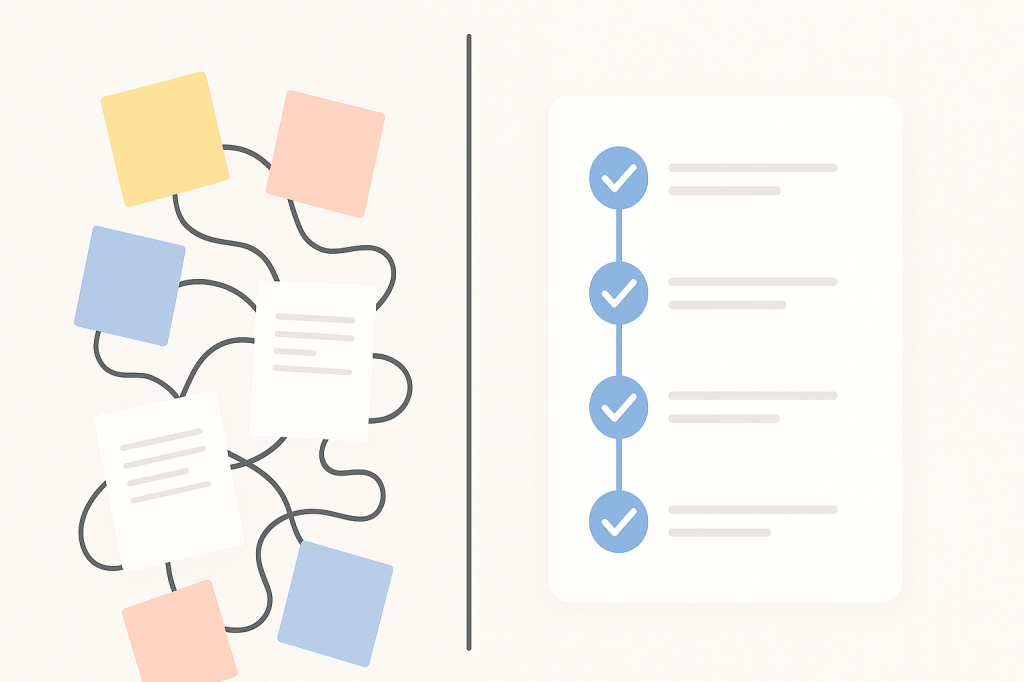
Parse notes into action items

I love using Attention as my AI-powered notetaker,  but sometimes I skip it. People can be more open when they’re not being recorded, and I still enjoy manual note-taking for retention.

Still, I often end up with messy shorthand in my Remarkable or Notes app. I’ll paste the text into ChatGPT and ask it to turn it into an action plan with tasks, deadlines, and priorities.

Example prompt:
“Here are my notes from today’s team meeting. Can you create a prioritized task list with deadlines and owners?”

Brainstorm faster

“I write because I don’t know what I think until I read what I say” is a quote by Flannery O’Connor that I can relate to. Whether it’s working on a new feature or product idea, piece of content or song, or I am looking for new initiatives for the company, I start jotting down anything that comes to mind without internal censorship. When you’re stuck in idea limbo, whether it’s for marketing copy or an outside-of-the-box solution to a problem, ChatGPT can jumpstart your brainstorming. Just give it context and ask for 10 ideas to kick it off, which can help you avoid the dreaded blank page and gets your creative juices flowing faster.

Example prompt:
“I’m launching a new feature for higher ed web teams. What are 10 creative blog post titles that balance approachability and professionalism?”

Simplify complex concepts for yourself and others

Whether you’re learning something new or explaining a technical concept to someone less familiar, ChatGPT can help summarize jargon-heavy material in plain English. For example, if someone asks what a specific section in a legal contract means or looking to understand a highly technical concept, you can ask the tool to break it down in simpler terms. In fact, ChatGPT is usually pretty good at coming up with relatable analogies. I recommend being as specific as possible in defining who the intended audience is. 

Example prompt:
“Explain this section of a SaaS contract in plain English for someone with no technical or legal background.”

Create first drafts 

From RFP answers to project requirements, the first draft is often the most time-consuming. I use ChatGPT to write a rough outline or narrative based on key points. Editing from a starting point is so much faster than starting cold. For things like Statements of Work, you can even create your own custom ChatGPT by teaching it about what you’re looking for and uploading existing SOWs (minus the customer name) to use as guidelines. 

Example prompt:
“Based on these bullets, draft the first two paragraphs of proposal for an implementation project.”

Prepare for conversations 

Before heading into a call with a potential partner or customer, consider asking ChatGPT to help prep questions, review context, or suggest talking points based on previous interactions or public info. It saves me from digging through inboxes or LinkedIn for background, although, admittedly, sometimes I can’t help it. 

Example prompt:
“Help me prepare for a call with [customer/partner] interested in [topic]. Summarize the top 3 news stories from the past 6 months about [Customer Name] and highlight anything relevant to digital transformation or leadership changes.”

Create new templates or formats

One of the most underestimated time-saving superpowers of ChatGPT is its ability to build custom frameworks, templates, and models on the fly, which is especially helpful when you’re tackling something ambiguous or complex.

Whether you’re evaluating vendors, planning a new campaign, scoping a project, or making a strategic decision, having the right framework helps you move faster and with more clarity. But instead of spending hours on the internet for one that almost fits your needs, ChatGPT can help you create one that’s tailored to your situation. The trick is to not settle for the first answer the tool gives you, but to keep asking for refinements until you have something that is a great starting-off point. 

Example prompts:

“Build a scoring matrix for whether or not to RFPs based on fit, scope, risk, and competitive positioning.”

“Create a content planning template based on the awareness, consideration, and decision stages of the buyer journey.”

“Develop a Standard Operating Procedure template for customer onboarding.”

Develop learning plans

This is one of my favorite use cases. When I want to sharpen my skills and acquire more knowledge about a certain area, I ask ChatGPT for learning plans based on my time frame and availability. 

Example prompt:

“I want to learn more about GDPR and how it affects web content and web personalization. Create a two week crash course for me with relevant resources like articles, videos, and podcasts. I can spend 15 minutes a day on this” 

Use it as a sounding board

Sometimes you just need a gut check on tone, clarity, or how something might resonate better with your audience. ChatGPT is great for quick, low-stakes feedback that helps you keep moving. Whether I’m drafting an email that needs to be direct but diplomatic, or tweaking a copy that just doesn’t seem to hit the note I’m aiming for, I’ll often paste it in and ask for suggestions or a tone check. It’s like having a neutral second set of eyes without needing to bug a colleague.

That said, I draw a line when the context is deeply emotional, politically sensitive, or calls for real empathy. In those cases, I still rely on my own judgment or talk it through with someone I trust. For me, ChatGPT is less about replacing human insight and more about accelerating the mechanical parts, so I have more time and mental space for the conversations that actually require the human touch.

Example prompt:
“Does this message sound too unempathetic? I want it to be clear and firm, but still respectful.”

What about you? What are some ways in which you’re using ChatGPT to save time?

slack conversaion

7 pitfalls of Slack (and similar tools)

Slack and similar messaging platforms, like Teams and Mattermost, promised frictionless communication, faster collaboration, and a reprieve from endless email chains. And to be fair, they’ve delivered, but not without their own set of challenges. These communication platforms can just as easily cause dysfunction as they can drive productivity. Here are some common pitfalls.

1. Expectations of always being on

The problem:
Real-time chat fosters the illusion that everyone should be instantly reachable. That constant hum of notifications creates low-level anxiety and can kill deep focus. 

Example scenario:
Jasmine is a UX designer who starts working at 8:00 AM and wraps up by 5:00 PM. But her manager often messages her at 9:30 PM with “quick ideas.” Even though Jasmine doesn’t have to respond, she feels pressure to and it’s wearing her down.

Mitigation:
Normalize using Slack’s “Do Not Disturb” feature. Set team guidelines like “no messages after 6 unless urgent” and encourage scheduling messages with tools like Slack’s built-in delay feature. Confession: I spend way too much time on my laptop, and often respond to messages outside of regular hours. I’m even guilty of posting outside of those hours. However, there is no expectation that I expect a response at those times. (Note to self: I need to remind my team of this). 

2. Important info gets buried

The problem:
Slack can’t distinguish between what’s urgent and what’s just active. Critical updates often disappear under a pile of less important chatter.

Example Scenario:
The engineering team shares a Slack message in #product-news:
“API v1.2 will be deprecated in 30 days. All third-party integrations need to migrate to v2.0.”
Within a day, the message is swallowed by a stream of stand-up check-ins and demo GIFs. A partner success manager never sees the post and doesn’t notify a key enterprise customer,  resulting in broken integrations and an angry escalation.

Mitigation:
Use tools like Slack’s “Highlight Words” feature to alert people to terms like “deprecation,” “urgent,” or “migration.” Better yet, integrate Slack with your CRM or ticketing system to automate critical alerts to the right people since you should not rely on a single Slack message as your system of record.

How to set up Highlight Words, click your profile picture in the top right of Slack and select Preferences -> Notifications. Scroll down to My keywords and enter the words you want to track, separated by commas.

3. Slack becomes the default

The Problem:
Slack messages can easily be misread or misinterpreted, since you don’t see someone’s facial expression or hear their tone. Plus, they’re often very short.

Example scenario:
After a tense customer call, the customer success manager starts a thread criticizing the product team’s recent release. The product lead replies defensively. Within minutes, the conversation derails and now it’s visible to the majority of the company.

Mitigation:
Create clear guidance: feedback and conflict resolution should happen in 1:1 video chats or designated retrospectives. Use Slack for transparency, not tension.

4. It erodes focus

The problem:
Notifications and context-switching fragment focus, leaving team members busy but not productive.

Example scenario:
Daniel blocks off 9–11 AM for deep work on a strategy deck. But he gets pinged 8 times in 30 minutes with questions, requests, and check-ins. He never hits flow state and ends up working late to finish the deck.

Mitigation:
Support “focus hours.” Encourage team members to pause notifications, mute non-critical channels, and respect scheduled work blocks. Deep work should be protected, not penalized. I struggle with this often, as I have to resist the urge to respond, especially when someone pings me directly. When you feel like you can only be productive outside of work hours, it’s a problem that needs to be addressed.

5. Channel chaos

The problem:
When there are too many channels or unclear norms and naming conventions, people don’t know where to find or post what.

Example scenario:
Three team members post updates about the same client in #client-discussion, #sales-wins, and #random-client-notes. No one sees the full story, and someone accidentally duplicates work already done.

Mitigation:
Audit and consolidate your channels. Create clear naming conventions like  #client-[name], #proj-[initiative]), #success-help-and-feedback. Make a simple channel guide part of onboarding.

6. Unconscious exclusion

The problem:
Fast-paced Slack culture can exclude people who aren’t always online, aren’t native English speakers, or need more time to process and respond.

Example scenario:
During a fast-moving brainstorm in Slack, the extroverts dominate with rapid-fire messages. Maria, a thoughtful team member who prefers time to think before weighing in, ends up not contributing, even though she had a great idea the next morning.

Mitigation:
Encourage async participation. After a brainstorm, ask for additional input later in the day. Use threads and “summary” messages to recap discussions for those in other time zones or working styles.

7. The “reply reflex”

The problem:
In many Slack cultures, people feel pressure to acknowledge or respond to every message , even when the message is clearly just an FYI. What should be a quick, high-signal update turns into a noisy thread filled with tangents, opinions, and questions that don’t need to be answered.

Example scenario:
A marketer posts in #company-updates:
“FYI, the user conference microsite just went live! Feel free to share the link with customers. No reply needed.”

Within minutes, the thread fills up:

  • “Wow, I can’t believe it’s that time again already.”
  • “Looks awesome!”
  • “Does the pink color match the one on our main site?”
  • “The banner image looks a bit blurry.”
  • “What are we doing for SEO?”

What was meant to be a simple status update now feels like a kickoff meeting and creates extra noise for teams that aren’t even involved.

Mitigation:
Normalize the idea that not every update needs a response. Use “No reply needed” or “NRN” explicitly for FYIs. Encourage emoji reactions for lightweight acknowledgment. And when someone does need feedback or input, make that ask intentional and clear. Otherwise, help your team practice restraint and focus.

As powerful as Slack and other tools can be, they can also influence your culture in detrimental ways. Be mindful, and continue to establish ground rules and expectations. 

What about you? Which pitfalls have you experienced first hand and what helped you overcome them?

sticky notes with yes and no written on them

Why saying no by default is not a strategy

Saying no can be liberating. It’s a word that leaders, product managers, and founders often use as their shield against scope creep, burnout, and loss of focus. Yet, I wonder if the real art isn’t about defaulting to a firm no. It’s about knowing why you’re saying no, understanding the impact, and being open to other paths when possible. What if we can shift from knee-jerk rejections to meaningful, strategic decisions that serve both our business and our customers.

Why revisiting our no matters

It’s been years since I explored why we shouldn’t shy away from saying no to projects, features, or deals that don’t align with our vision. But time and experience have shown me that “no” is not a free pass out of tough conversations. Nor does it automatically mean you’re operating in the best interests of your team or users. The nuance lies in the decision-making process and the honesty behind it.

With over a billion results for “saying no to a feature request,” the topic is far from new. Yet, many teams still struggle to move beyond a templated refusal, missing out on growth, innovation, and customer goodwill in the process.

Identify the real reason behind your no

Be honest with yourself

Before saying no, dig deeper. Is your answer rooted in what’s truly best for your product and customers? Or are you being swayed by something less objective, like risk averseness, internal bandwidth issues, or personal bias? Sometimes, a quick refusal feels safer than challenging assumptions or pushing your team outside their comfort zone.

Tracking your decisions helps. Document every no and, more importantly, the reason behind it. This reflection gives you valuable data, helping you spot patterns like resisting new ideas, underestimating team capacity, or playing it too safe. You might discover that your “no” is occasionally more about your own limits than your customers’ needs.

Separate product needs from personal preferences

Maybe a feature request sounds wrong simply because it’s not what you’d want as a user. Or maybe a contract term feels risky, but you haven’t weighed the potential upside. By being transparent, you open up space for objective analysis.

Here’s an idea. Start an internal “no log.” When you turn down a request, capture what was asked, why you’re declining, and the true business reason. After a quarter, review for trends or missed opportunities.

No doesn’t always mean never

Consider no, but add “but”

The word no doesn’t have to be a conversation-ender. Sometimes, a flat rejection is appropriate. More often, a “no, but…” unlocks better dialogue and creative alternatives.

  • Contract terms: Maybe you can’t agree to everything the partner asks, but could you offer a concession elsewhere?
  • Feature requests: If a proposed feature isn’t feasible, could an integration with another tool help your customer achieve the same outcome?
  • Project proposals: Resource-constrained? Suggest a partnership with a trusted contractor instead of rejecting the project outright.

Whenever you deliver a “no,” challenge yourself to also offer a workaround, a timeline for revisiting, or a different way forward. You’ll build trust and demonstrate that you’re listening.

Weigh the consequences of saying no

Balance ROI with opportunity cost

Rejecting a new idea or feature is rarely risk-free. Of course you should ask, “What will this bring us?” But you must also flip the question: “What could we lose by turning this down?” Each no closes a door, possibly for good.

  • Could refusing a feature be the difference between keeping and losing key customers?
  • Is turning down a contract leaving money and future partnerships on the table?
  • Will a pattern of no responses become a reputation risk over time?

For example, a SaaS platform might skip a small feature to focus on core improvements. But if that feature is critical to a cluster of customers in a lucrative segment, the opportunity cost could outweigh the savings.

With every major no, write a short post-mortem. Review both the intended gains and potential losses, and discuss as a team before finalizing.

Stay flexible as context changes

Adapt your no to the times

Business climates evolve. That means your “no’s” should, too. Maybe last year you avoided broad integrations because of limited resources, but now, economic shifts or new partnerships demand a more open approach.

  • Are current market or global trends changing customer expectations?
  • Has a new law or regulation made your earlier decision irrelevant?
  • Could tighter budgets mean you revisit previously shelved ideas that now look more viable?

As leaders, we need to widen our lens to include industry shifts, economic downturns, and even global crises. What was a hard no yesterday might be a qualified yes, a “maybe” with caveats, or a “no, but” today.

Regularly revisit your default responses. At your quarterly strategy review, ask, “Is our no still the right answer given what’s changed?”

Align the best for customer and company

There’s nothing weak about turning down a customer, a feature, or a contract term. What matters is that your decision aligns with long-term goals for both your company and the people you serve. These interests are not opposing forces. The sweet spot is where they overlap.

  • Make decisions with transparency.
  • Communicate your reasoning.
  • Demonstrate that you’ve weighed impacts on all sides.

When your team and your customers see that your no’s are principled instead of arbitrary or reactionary, they’re far more likely to stick with you.

Let’s rethink our relationship with “no.” The next time you’re asked for a feature, project, or partnership, pause before defaulting to a refusal.

  • Track and analyze your decisions for hidden patterns.
  • Look for “no, but” opportunities wherever possible.
  • Evaluate both the costs and opportunities of every no.
  • Stay alert to shifts, from market sentiment to legislative changes.
  • Be transparent with your reasoning, building credibility inside and out.

Saying no is an essential leadership tool. But it’s a scalpel, not a sledgehammer. Use it to cut out what’s unnecessary, not to block growth, innovation, or trust.

What about you? How have your views on saying no changed as your context has evolved? 

flywheel of building compounding AI

How higher ed marketers can build an AI Flywheel

I’ve been thinking about higher ed a lot (even more than usual) these days, as it’s facing some challenging times, so I’ll be posting a bit more higher-ed focused content on here.

AI isn’t just another way to save a few minutes on your next campaign. For marketers in higher ed, it offers a lot more. In fact, if used wisely, it can become a system that makes every piece of work more efficient, more insightful, and more effective the more you use it. It’s often referred to as the AI Flywheel.

Let’s take a look at how higher ed marketing teams can move beyond one-off AI prompts and quick fixes, and start building systems that get smarter, faster, and more valuable with each cycle. If you’re spending too much time feeling like every enrollment or giving campaign is a new lift (like planning Welcome Week for the third time in six months), this approach will help you shift from reinvention to momentum.

Why AI in higher ed is not just about faster emails

Higher ed marketers operate in a world defined by big challenges and limited resources. Budgets are tight, teams are lean, and institutional expectations keep growing. And yes, you’re still somehow expected to write like a copywriter, strategize like a VP, and test like a CRO, all before lunch.

Think about it like this: You don’t want a robot that spits out a decent subject line when you ask. Instead, you want to me more ambitious and develop a process that helps your marketing team get sharper, learn from every email sent, and make the next campaign even more relevant, personalized, and achieve better results.

What is the AI Flywheel?

The AI Flywheel is a feedback loop with the intention to compound value. Instead of approaching tasks in isolation, the AI Flywheel connects every prompt, every campaign, and every data point so that the next round is always easier and more effective.

For example:

  • Ask AI to draft initial content for anything from an email to an event invitation.
  • Refine the output, shaping the tone and content to match your institution’s brand, tone, and values.
  • Reuse the structure or logic behind successful outputs for new use cases or audiences.
  • Analyze the response data. Did students click more? Did parents open less? What seemed to resonate?
  • Feed those insights right back into the next prompt, so that each turn becomes faster and smarter.

Instead of improving by accident, you develop a plan. Your systems, prompts, and institutional knowledge compound, which can make each campaign more agile and aligned.

How to build an AI Flywheel in higher ed marketing

Here’s how your marketing team can get started:

1. Design prompts for systems, not just single results

Don’t just ask AI to “write a welcome email for new students.” Instead, break the campaign down and think in terms of building blocks you and your team can reuse across future projects.

For a student welcome series, your AI prompt structure might include:

  • A general template with modular sections (intro, campus highlight, quick next steps, CTA)
  • Personalization variations (first-generation, out-of-state, transfer)
  • Follow-up text messages
  • Web teasers for cross-channel promotion

Whenever possible, capture not only the result but also the reusable logic and variants. This way, your initial prompt seeds a content system rather than a one-and-done piece.

2. Create a living context file 

AI is only as good as the context you give it. Feed your key institutional inputs into your AI companion or prompt library:

  • Brand voice and tone (welcoming, inclusive, aspirational, empathetic)
  • Personas (prospective students, parents, alumni, faculty, donors, employers)
  • Differentiators (small class sizes, experiential learning, first-year programs)
  • Strategic goals (increase applications, grow out-of-state reach, boost giving, increase student retention)

Example:

“Using our brand voice, draft a headline and subhead for our rural-first-gen scholarship landing page.”

Your context doc becomes a shared institutional brain, without needing to Slack a coworker for that one tagline she wrote back in 2019.

3. Turn every output into a future input

Every campaign, message, or landing page is a learning opportunity. Once you send an email with great open rates or a text message that parents forward widely, don’t just celebrate and move on. Feed that result back into your AI system.

For instance, prompt your tool with:

This open house email had a 52% open rate and strong parent engagement. Use it as a model to draft a campaign for our admitted student event.

This way, you’re building institutional intelligence that compounds, turning AI into a digital team member who remembers what worked (and what fell flat) last semester, last year, and beyond.

4. Systematize with a prompt library

Organize your prompts and templates so you’re never starting from scratch. Think of this as your team’s living playbook, where you collect and annotate things like

  • Outreach plan evaluations
  • Donor message variants based on giving history
  • Career-focused homepage copy
  • Accessibility and language audits
  • Infographic summaries

This living library becomes more valuable with each project, which can help make every new campaign both faster and more targeted.

Benefits of the AI Flywheel for higher ed teams

Scalable personalization: AI enables you to deliver tailored messaging, but the flywheel structure prevents your small team from reinventing the wheel with every campaign.

Consistent messaging: Centralized inputs, living prompt libraries, and reusable assets mean that your voice, values, and strategy show up seamlessly wherever your audience is.

Smarter and faster decision-making: Data feeds back into your system after every initiative, enabling rapid learning and focused improvements instead of guesswork.

Sustainable marketing systems: Even with staff changes or shifting priorities, your documented systems make it easy for new team members to ramp up and keep improving what’s working best.

How to get started

You don’t need a large team or a massive investment to begin. Start small and intentionally:

  • Save your three most-used prompts and tweak them with every cycle
  • Keep a shared doc with core messaging, personas, and brand guidelines
  • Make a habit of reviewing results and adding insights back into your system

Over time, your flywheel will pick up speed, giving your institution compound returns and marketing agility.

What about you? Have you started working on your AI Flywheel?

clock with AI symbols, brain in the middie

20 AI prompts that will save you hours every week

You know AI can help you get more done faster. But too often, it feels like one more tool to manage rather than a true productivity partner. The missing piece: Clear, structured prompts that make AI do the heavy lifting.

Here are some ideas to get started with 20 ready-to-use AI prompts that distill tasks into fast, repeatable wins. Whether you handle operations, marketing, hiring, analytics, or content creation, I hope these examples will save time and deliver consistent results.

Good prompts matter 

Before jumping into specific prompts, it is essential to understand what separates a quick win from wasted time.

A strong prompt should:

  • Include relevant context so the AI understands your goal
  • Request a defined outcome (such as a checklist or email)
  • Specify the structure or tone you expect in the answer

Clear, intentional prompting transforms AI from a novelty into a practical tool for day-to-day efficiency.

Prompts for business owners and operators

Target operations tasks with precise instructions to introduce structure and speed up repetitive processes.

1. Build a Standard Operating Procedure (SOP)

Prompt:

Write a clear, step-by-step SOP for how we [task: onboard new clients into our product]. Use short, numbered steps and include any tools we need to use.

How it works: You receive a process document organized for new or existing employees, reducing onboarding time and errors.

2. Conduct a process improvement audit

Prompt:

Here is our current process for handling inbound leads: [paste process]. Suggest improvements using automation or AI, and explain how each change saves time.

What to expect: Actionable recommendations with time-saving calculations to fuel continuous improvement strategies.

3. Use the Eisenhower matrix for prioritization

Prompt:

Here are 10 tasks I need to get done this week. Help me prioritize them using the Eisenhower Matrix. Tasks: [list].

Result: AI provides a clear task matrix, allowing decision-makers to focus on what is urgent and important.

High-impact prompts for marketers

AI can shortcut ideation, optimization, and content repurposing processes. Structure is fundamental for valuable outputs.

4. Generate campaign ideas

Prompt:

Give me 5 creative campaign ideas for promoting our [product/service] to [target audience] with a budget of [enter budget range].

Benefit: AI offers campaign concepts tailored to real constraints, shortening planning cycles.

5. Generate ideas for blog posts

Prompt:

Analyze the content on [URL] and give me 10 blog post topic ideas optimized for the keyword ‘[keyword]’. For each, include a suggested title and a meta description.

Why it’s useful: This prompt helps you generate content ideas that are both strategically aligned with your existing site and optimized for SEO. You’ll walk away with not just broad topic direction (macro) but also ready-to-use titles and descriptions (micro) ,  accelerating your drafting process and boosting your search performance.

6. Repurpose Content for Social Media

Prompt:

Take this blog post: [paste blog text] and create 3 LinkedIn posts and 2 Instagram captions using a friendly, helpful tone.

Time saving: Redistribute long-form content into bite-size marketing assets in minutes, not hours.

7. Draft an engaging promotional email

Prompt:

Write a concise, engaging promotional email for [offer] that encourages [action]. Keep it under 150 words and include a strong CTA.

Outcome: A ready-to-edit email draft, consistent in style and focused on driving immediate action.

Prompts for content creators and educators

Use AI to streamline educational and creative production, focusing on clarity and engagement.

8. Build an agenda for a webinar

Prompt:

Build a 30-minute webinar agenda on [topic]. Include 3 key talking points, 2 interactive moments, and 1 call to action.

Practicality: Provides a structured, audience-focused plan for live events.

9. Turn documents into slide summaries

Prompt:

Here’s a long document: [paste or describe]. Create a 5-slide summary presentation with slide titles and bullet points.

Efficiency: Turns dense materials into high-level summaries viewers can process quickly.

10. Simplify complex topics for beginners

Prompt:

Explain [complex concept] in simple terms suitable for beginners. Use analogies and bullet points.

Value: Makes knowledge accessible, supporting onboarding and learning initiatives.

Streamlining hiring and HR with AI

Automate writing and talent screening with prompts configured for quality and inclusion. Check out my detailed post with more prompts here.

11. Craft compelling job descriptions

Prompt:

Write a compelling, inclusive job description for a [role] at a [type of company]. Include responsibilities, qualifications, and company culture highlights.

Advantage: Ensures roles are marketed attractively and inclusively, saving time on rewrites.

12. Generate interview questions

Prompt:

Give me 10 behavioral interview questions to assess a candidate’s problem-solving skills for a [job title] role.

How it helps: Builds precise question sets that test relevant competencies.

13. Onboarding checklist creation

Prompt:

Create a 2-week onboarding checklist for a new [role], with tasks broken down by day and links to relevant resources.

Desired outcome: Smooth onboarding processes mean faster time-to-productivity and less manager oversight.

Prompts for analysts and administrative efficiency

Extract insights and move from raw data to actionable summaries without manual labor.

14. Summarize spreadsheet data

Prompt:

Summarize this spreadsheet data: [paste table or describe data]. Highlight key trends and anomalies.

Value: Convert messy sheets into insights for focused, strategic reviews.

15. Summarize Meeting Notes

Prompt:

Summarize the key decisions, action items, and next steps from this meeting transcript: [paste notes].

ROI: Ensures important discussions result in tangible next actions.

16. Suggest useful dashboard charts

Prompt:

Suggest the most useful charts to include on a dashboard for tracking [goal, e.g., website conversions]. Explain why each is valuable.

Performance Tracking: Prioritizes metrics that matter, enabling smarter dashboard design.

General productivity hacks

Use AI to design repeatable frameworks, triage communications, and enforce strategic time allocation.

17. Create templates that save time

Prompt:

Create a reusable template for writing weekly status updates to my team. Include sections like ‘Highlights’, ‘Blockers’, and ‘Next Steps’.

Standardization: Fosters clarity and unity in reporting, saving time weekly.

18. Triage Slack messages

Prompt:

Here are 10 recent Slack messages I received across different channels. Help me classify each as Needs my action, FYI, or can be ignored. Messages: [paste messages].

Why it’s useful: This prompt helps you cut through the noise in team communication tools like Slack, Teams, or Discord. By instantly identifying what needs your attention versus what doesn’t, you can reclaim your focus and stop letting pings and notifications derail your deep work.

19. Design a weekly planning grid

Prompt:

Help me plan my week. I want to spend 60% of my time on deep work, 30% on meetings, and 10% on admin. I work Monday–Friday, 9–5.

Desired outcome: Enables intentional time management with built-in deep work prioritization.

20. Encourage personal reflection

Prompt:

Guide me through a weekly reflection. Ask me 5 questions about what went well, what I learned, and what to improve next week.

Continuous improvement: Promotes regular self-review, building resilience and alignment.

Combine prompts

When real transformation is the goal, don’t just use standalone prompts. Combine them into workflows. For example:

  1. Craft a compelling job description (#11)
    Start by generating an inclusive, well-written job listing that attracts the right candidates.
  2. Create an onboarding checklist (#13)
    Once the role is filled, immediately build a 2-week onboarding checklist so you’re ready to hit the ground running.
  3. Turn onboarding docs into a slide summary (#9)
    Transform lengthy onboarding materials into a 5-slide overview presentation for your new hire’s first day.

By stacking these prompts, you move from role definition → hiring → onboarding with minimal lift. You reduce context-switching, create consistency across hiring assets, and make the employee experience smoother, all in under an hour of focused AI-assisted work.

Stacking prompts leverages compounding time savings, multiplying your impact across every phase of a project.

Wrap-up

Great AI prompts are not shortcuts but disciplined processes encoded into accessible language. They allow you to automate what’s repetitive, delegate without confusion, and direct your best effort where it counts.

Bring intentionality and structure to every AI interaction, and you will transition from spending time on busywork to delivering meaningful, strategic outcomes.

What about you? What are your favorite time-saving AI prompts?